
Download TV Fox – Free Browser TV Plug‑in, Live Channels & Easy Installation
Overview of TV Fox
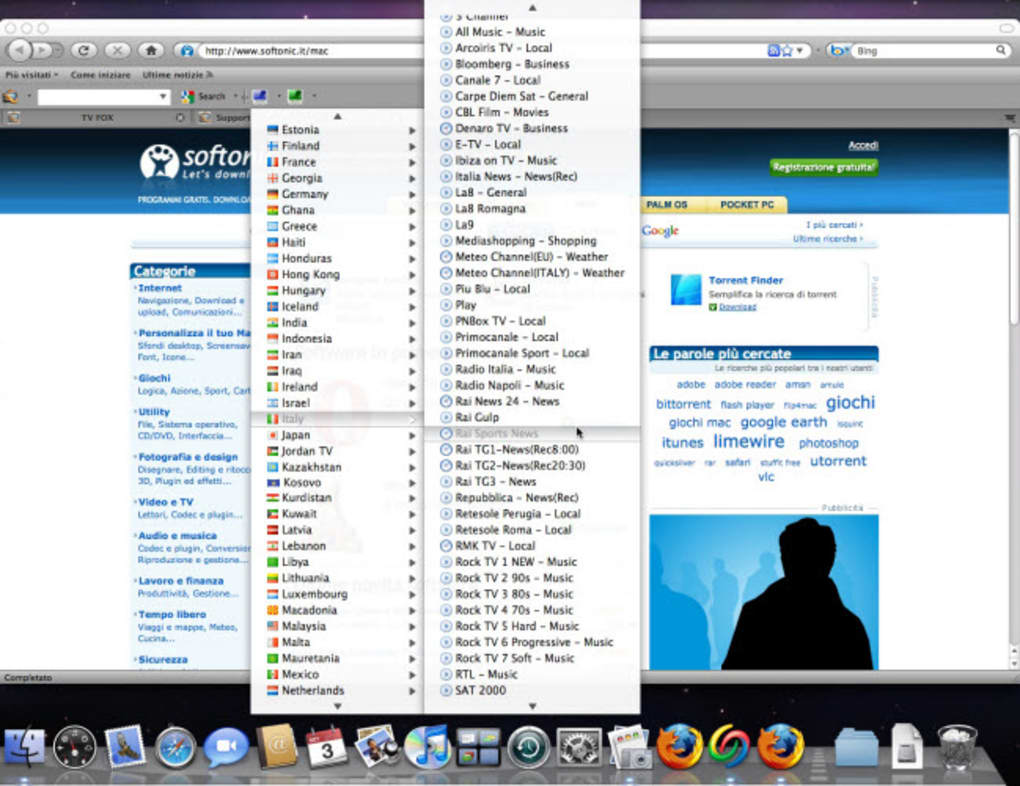
TV Fox is a lightweight browser plug‑in that instantly transforms any modern web browser into a fully functional TV streaming hub. With a single click, users gain access to more than 2,000 live TV channels from around the globe—everything from news and sports to movies and niche entertainment. The tool is completely free, requires no subscription, and runs securely within the browser sandbox, eliminating the need for additional hardware or bulky satellite dishes.
Its intuitive interface mirrors a traditional TV guide, making channel navigation feel familiar even to non‑technical users. Because TV Fox operates as an extension, it automatically receives updates, ensuring compatibility with the latest streaming standards and browser versions. Whether you’re on a Windows PC, a macOS laptop, an Android tablet, or an iOS device, TV Fox delivers a consistent, high‑quality viewing experience without draining system resources.
This makes it an attractive alternative for cord‑cutters, travelers, and anyone looking to replace costly cable packages with a flexible, on‑demand solution.
Key Features That Set TV Fox Apart
- 2000+ Live Channels: Access a diverse catalog that includes international news, premium sports, classic movies, kids’ cartoons, and niche hobby channels.
- Zero Cost & No Subscription: TV Fox is completely free to download and use, with no hidden fees or trial periods.
- One‑Click Installation: The plug‑in installs within minutes, requiring only a standard browser (Chrome, Edge, Firefox, or Safari).
- Cross‑Platform Compatibility: Works seamlessly on Windows, macOS, Android, and iOS browsers, offering a unified experience across devices.
- Secure Streaming: All channels are delivered over HTTPS, protecting user data and preventing unwanted tracking.
- Regular Automatic Updates: The extension auto‑updates to keep pace with new channel additions and security patches.
- Lightweight Design: Consumes minimal CPU and RAM, ensuring smooth performance even on older hardware.
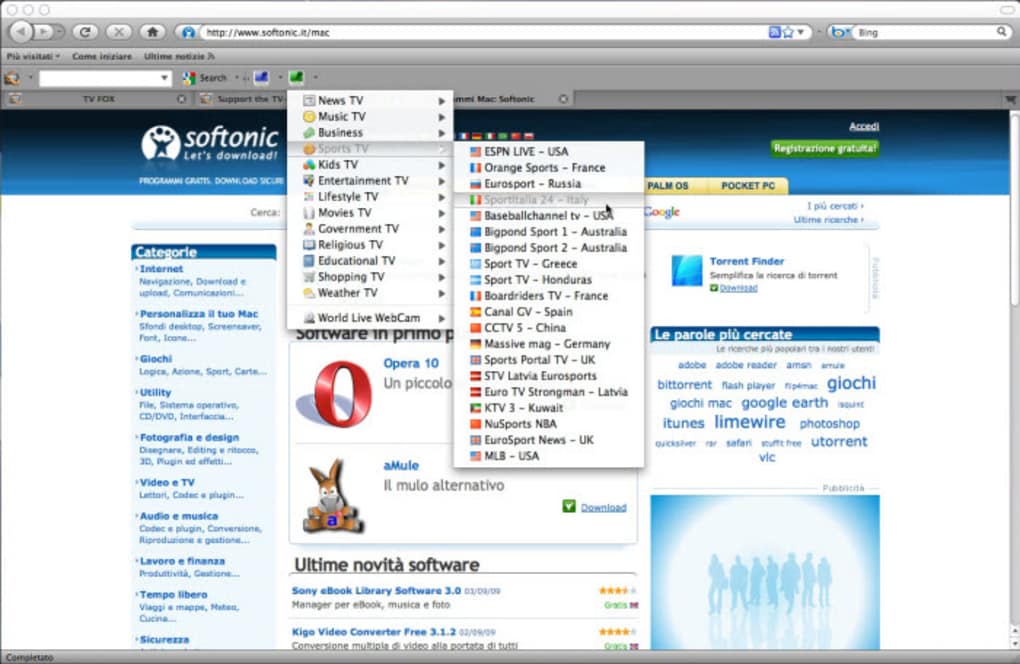
- Customizable Channel Lists: Users can create personal favorites, hide unwanted categories, and organize channels by genre.
- Full‑Screen & Picture‑in‑Picture Modes: Enjoy immersive viewing with native browser support for fullscreen and PiP.
- Ad‑Free Options: While most channels are ad‑supported, TV Fox includes an optional ad‑block toggle for a cleaner experience.
Installation & Usage Instructions
Getting TV Fox up and running is straightforward, even for users with limited technical knowledge. Follow these steps to start watching instantly:
- Choose Your Browser: TV Fox supports Chrome, Edge, Firefox, and Safari. Open the official extension store for your preferred browser.
- Search for “TV Fox”: Locate the official plug‑in (verify the publisher’s name to avoid counterfeit versions).
- Click “Add to Browser”: Confirm any permission prompts. The extension will download and install automatically.
- Restart the Browser (if required): Some browsers may ask for a quick restart to activate the plug‑in.
- Launch TV Fox: An icon appears in the toolbar. Click it to open the TV interface.
- Browse Channels: Use the left‑hand navigation pane to explore categories, search for specific stations, or filter by language.
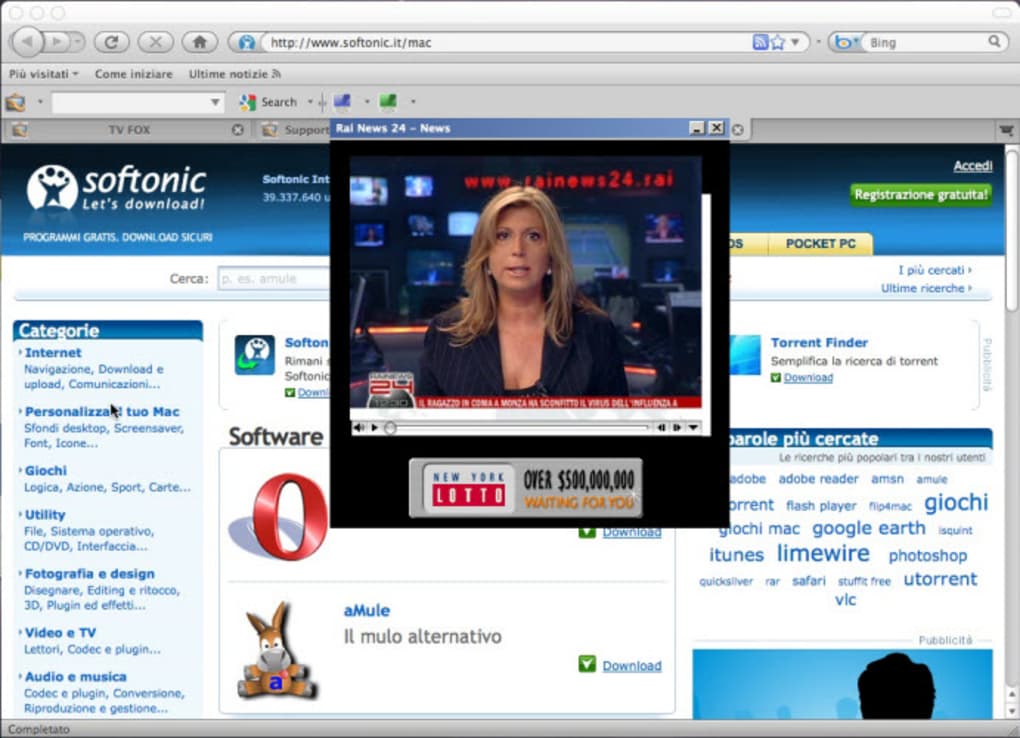
- Start Watching: Click any channel thumbnail to stream. Adjust volume, toggle fullscreen, or enable picture‑in‑picture from the control bar.
- Personalize Settings: Access the settings menu to enable ad‑block, set default video quality, or configure startup behavior.
Because TV Fox runs inside the browser, there’s no need for separate media players or codec installations. Updates are handled automatically, and the plug‑in respects your browser’s privacy settings. If you encounter any playback issues, a quick “Clear Cache” from the TV Fox settings usually resolves them, ensuring a smooth, uninterrupted viewing experience.
Compatibility, Pros & Cons
TV Fox is engineered to be universally compatible with the most common operating systems and browsers. It supports Windows 10/11, macOS Catalina and later, Chrome OS, Android 8.0+, and iOS 13+. The extension leverages HTML5 video playback, so any browser that supports this standard will stream channels without additional plugins.
Pros
- Free and legally compliant access to a massive channel lineup.
- Minimal system impact; works well on low‑end devices.
- Cross‑platform support provides consistent experience across desktops and mobile.
- Regular automatic updates keep the channel list fresh.
- Secure HTTPS streaming protects user privacy.
Cons
- Some channels may include regional ads that cannot be fully blocked.
- Internet bandwidth determines video quality; slower connections may cause buffering.
- Live channel availability can vary based on licensing agreements.
- While the UI is intuitive, power users may miss advanced DVR features.
- Occasional channel metadata mismatches (e.g., wrong logos) due to third‑party source updates.
Overall Verdict: TV Fox delivers an impressive free alternative to traditional TV services, especially for users who value flexibility and low cost. Its extensive channel catalog, ease of installation, and cross‑device compatibility outweigh the minor drawbacks of occasional ads and lack of advanced recording options.
Frequently Asked Questions
Is TV Fox really free?
Yes, TV Fox is completely free to download and use. There are no hidden subscription fees, and the core channel lineup does not require payment.
Do I need a VPN to watch TV Fox?
In most regions, TV Fox streams over HTTPS without geographic restrictions. However, if a specific channel is blocked in your country, a reputable VPN can help you access it.
Can I watch TV Fox on mobile devices?
Absolutely. The extension works in mobile browsers on Android and iOS, offering the same channel selection and playback quality as on desktop.
What browsers are supported?
TV Fox is compatible with Chrome, Edge, Firefox, and Safari. Ensure your browser is updated to the latest version for optimal performance.
Is there a way to record live TV?
TV Fox does not include a built-in DVR. However, you can use third‑party screen‑recording extensions or external software to capture streams, respecting copyright laws.
Conclusion – Should You Download TV Fox?
If you’re looking for a cost‑effective, hassle‑free way to replace cable or satellite services, TV Fox is a compelling choice. Its extensive live‑channel library, seamless browser integration, and cross‑platform reach make it a versatile solution for both casual viewers and dedicated cord‑cutters. While it lacks some premium features like native recording, the trade‑off of zero cost and minimal system impact is well worth it for most users. Download TV Fox today, enjoy instant access to thousands of channels, and experience the freedom of streaming TV directly from your browser.







